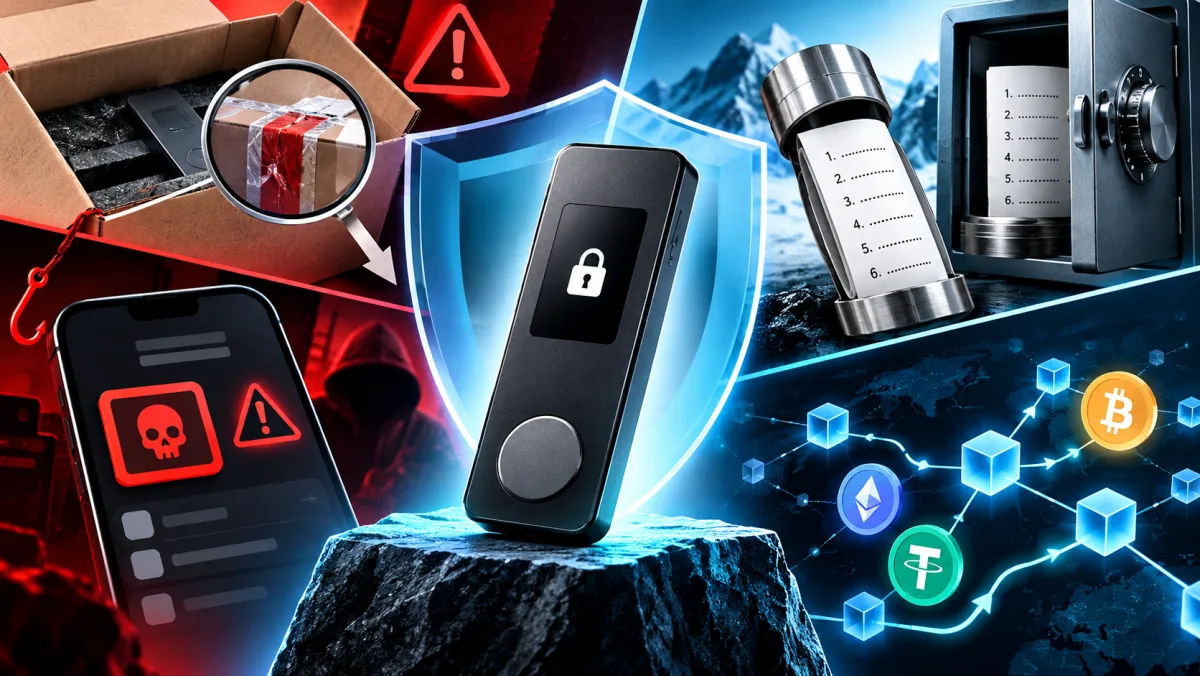
A hardware wallet is not bought for the gadget. It is bought to remove the most uncomfortable class of risk: the private key should not live on a laptop, a phone, a browser extension or an exchange account. But in real life, people usually lose money not because someone broke a secure element. They lose it because they bought the device from the wrong seller, scanned a QR code from the box, installed a fake companion app, saved the seed phrase in the cloud or sent USDT on the wrong network.
The current lesson is simple: a cold wallet does not make its owner invulnerable. It moves security from passwords into procedures. If the procedure is weak, a good chip will not rescue the setup.
Why the fake Ledger story matters beyond Ledger
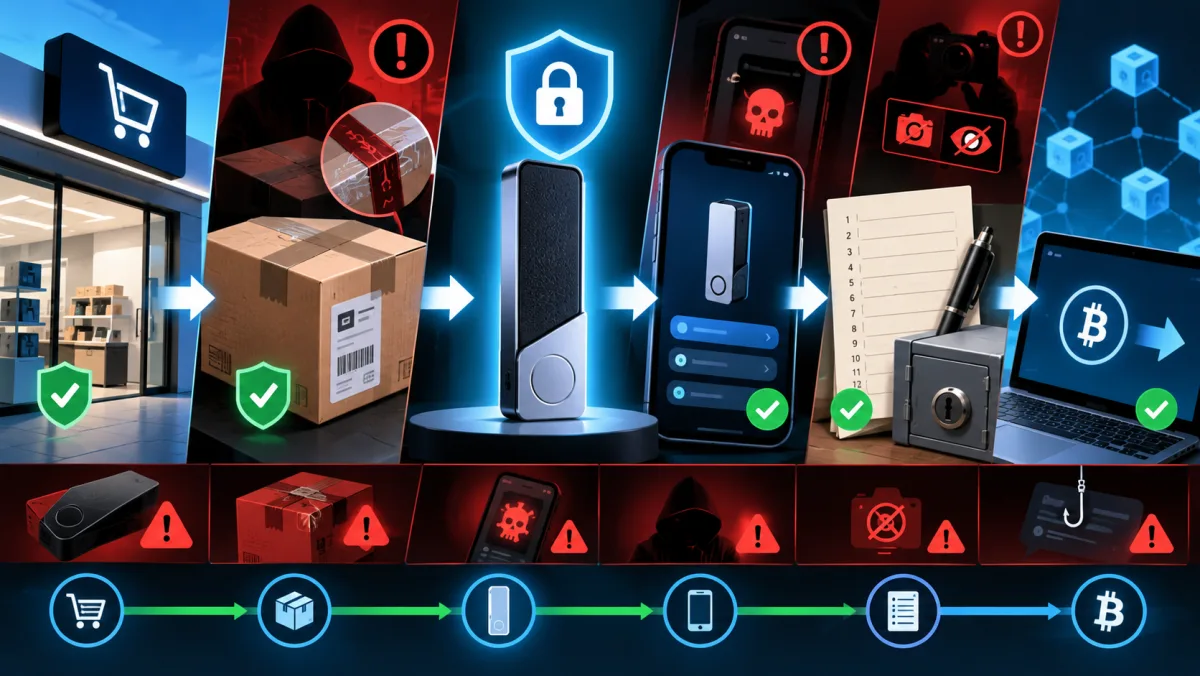
In April 2026, Tom’s Hardware described a teardown of a counterfeit Ledger Nano S Plus bought on a large Chinese marketplace. According to the report, the device looked convincing, but internally it was built around a different microcontroller, and the attack was not only about the hardware. The user was steered toward a fake app through a QR code and a counterfeit download page. From there, malicious software could collect sensitive data.
This is not only a Ledger story. The weak point is shared across the whole market: supply chain, first app, first seed phrase, first receiving address. Any hardware wallet is safe only in the scenario it was designed for. If the owner enters a seed phrase into a phishing app, signs an unreadable request or buys a “new” wallet with a pre-made recovery phrase, the security model collapses.
So the useful question is not which cold wallet is best in general. The better question is: where are you most likely to make a mistake, and which wallet is more forgiving of that particular mistake?
What a hardware wallet actually solves
A hardware wallet stores private keys away from the everyday device. A computer or phone can prepare a transaction, but the signature has to pass through the separate device. That protects against some malware, browser-wallet theft, exchange account compromise and accidental key storage in unsafe places.
But it does not automatically solve five things.
First: purchase authenticity. If the device was tampered with before it reached you, you are already starting from a bad position.
Second: app authenticity. A fake download page can be more convincing than the box.
Third: the seed phrase. Whoever sees the recovery phrase effectively controls the wallet. The price of the device does not matter.
Fourth: network and asset choice. USDT on Ethereum, Tron, Solana and other networks is not the same operational object when addresses, fees, wallet support and recovery from mistakes are involved.
Fifth: transaction signing. Cold storage is pointless if you regularly connect the wallet to DeFi and approve things you cannot read.
Ledger, Trezor, Tangem, SafePal: not a ranking, but different compromises
| Wallet | Strong point | Main user risk | Best fit |
|---|---|---|---|
| Ledger | Large ecosystem, Ledger Wallet, many assets, models from Nano to Flex/Stax | Fake apps, marketplaces, not understanding what is being signed | Users holding many networks who want a mature ecosystem |
| Trezor | Transparent philosophy, Trezor Suite, strong focus on verifiability, current Safe lineup | Unsupported-asset mistakes, unofficial sellers, older models with different protection levels | Users who value an open-source approach and clear onboarding |
| Tangem | Card or ring form factor, NFC, quick start, seedless backup-card flow | Dependence on an NFC phone, no screen on the card, confusion between seedless and seed modes | Beginners who want simplicity and fewer rituals |
| SafePal | Affordable segment, S1 QR signing and air-gapped approach, broad network support | Buying outside official channels, trusting QR codes or box instructions too much, confusing S1/S1 Pro/X1 models | Users who want a separate screen and QR process without a high price |
Ledger: a strong ecosystem, but app verification is critical
Ledger currently has a broad lineup: Nano S Plus, Nano X, Nano Gen5, Flex and Stax. On its official pages, Ledger describes its hardware wallets as devices with a Secure Element, local key storage, PIN protection and physical transaction confirmation. Ledger Wallet supports thousands of coins and tokens, and some assets can be managed through compatible third-party wallets together with the device.
The practical upside is ecosystem depth. Ledger is convenient for someone who holds more than BTC and ETH: Solana, stablecoins, NFTs, staking, swaps and third-party wallet flows can all matter. The practical downside is that a broader ecosystem creates more places where the user can click the wrong thing.
If you choose Ledger, the rule should be strict: download the app only from the official Ledger site or an official app store, before connecting the device. Not from a QR code in the box, not from a search ad, not from a support-chat link. During first setup, the device should generate a new recovery phrase. It should never ask you to use a phrase printed in advance.
Ledger is a good fit for users who are willing to verify addresses on the device screen and avoid treating a hardware wallet as a mindless OK button for DeFi. It is a worse fit for someone who wants the simplest “put it away and forget it” experience without updates, compatible apps and signature checks.
Trezor: transparency and the newer Safe lineup
Trezor matters not only as a brand, but as a security philosophy: more openness, Trezor Suite as the main interface, and detailed documentation around firmware checks and authenticity. In 2026, the current consumer lineup has shifted toward Trezor Safe 3, Safe 5 and Safe 7. Trezor Model One and Model T have not been sold through the Trezor e-shop since January 8, 2026, but the company says support continues: critical security updates for both models at least until 2036 and basic servicing at least until 2031.
Safe 7 drew attention because Trezor calls it its first quantum-ready hardware wallet and the first Trezor with Bluetooth. The important caveat: “quantum-ready” does not mean today’s blockchains have already moved to post-quantum signatures, or that the quantum threat has arrived for the average user. The claim is about device architecture, firmware verification, the boot process and the ability to support future upgrades.
Trezor’s upside is a clear path for users who want to understand how authenticity and firmware checks work. The downside is that asset support depends on the model and the app. Trezor officially shows BTC and ETH support across all models, but Solana and XRP are not supported on every model. Before buying, open the coins page and check not simply whether the token exists, but whether your exact model, network and management flow are supported through Trezor Suite or a third-party wallet.
Trezor suits users who are willing to spend time on the security model and prefer transparent documentation. It is not the best choice for someone who simply wants a wireless card with no screen and the fewest possible steps.
Tangem: card convenience, different trust assumptions
Tangem does not look like a classic USB wallet. It is a card or ring with NFC. The private key is stored inside the device, while the mobile app acts as the interface. According to Tangem’s official documentation, it requires a smartphone with NFC: Android 6.0 or newer, or iOS 15.0 or newer.
Tangem’s main advantage is a low entry barrier. You do not need a cable, you do not need a computer, and you do not need to read an address on a small USB-device screen. Tangem also promotes a seedless approach: instead of writing down a recovery phrase, the user creates backups on additional cards from the set. At the same time, it is important not to stay stuck in an older mental model: Tangem also offers a seed-phrase scenario if the user chooses that mode.
That changes the risk profile. Seedless is convenient for people who are afraid of a sheet of paper with 12 or 24 words. But backup cards still need to be stored separately and physically protected. If you choose seed-phrase mode, the old rules return: do not photograph it, do not keep it in notes, do not type it into websites, and do not send it to support.
The limitation for some experienced users is that the card has no screen. In a classic hardware wallet, the address and transaction details can be checked on an independent display. Tangem bets on the NFC card, the app and device-authenticity checks. For simple storage and transfers, that is convenient. For users who often sign complex smart-contract operations and want maximum independent visual verification, a classic screen may feel calmer.
SafePal: affordable air-gapped QR signing
SafePal is interesting because the S1 leans into QR signing and isolation. On the official SafePal S1 page, the device is described with EAL 6+, 100% air-gapped signing, passphrase support, a self-destruct mechanism, Type-C for power, support for 200+ blockchains and no Bluetooth, Wi-Fi, NFC or USB connection for signing. The lineup also includes S1 Pro and X1, with X1 described as a fully open-sourced Bluetooth hardware wallet.
The upside of SafePal S1 is the separate screen and camera rather than blind signing through a phone. The downside is that the QR process demands discipline. You need to understand what you are scanning, where the app came from and why instructions in the box should not be the only source of trust.
One point deserves its own line: SafePal explicitly recommends buying products through its official homepage, Amazon US or global resellers, and warns against unauthorized channels. With an affordable device, the temptation to buy “cheaper on a marketplace” is especially strong, but that is exactly where supply-chain and counterfeit risk can become disproportionately high.
Checks before buying
Do not start with the price. Start with the asset.
If you hold BTC for the long term, almost any of these wallets can work, but backup, passphrase and physical storage matter more than the logo. If you hold ETH and ERC-20 tokens, check Ethereum support, token support, staking and blind-signing flows. If you hold Solana, XRP, Tron, Cosmos or smaller networks, check the exact network in the official list. A stablecoin without a network does not exist: USDT on one network is not USDT on another.
Before paying, make three checks.
- Official purchase channel. The brand should have a shop, a reseller list or a clearly stated marketplace.
- Official app. The download should start from the brand’s site, not a search ad or a QR code on paper.
- Support for your assets. Check the coins/tokens page, not someone else’s review.
Do not buy the device if the seller opened the box, promises an “already configured wallet,” includes a separate seed phrase, asks you to activate it through an unknown domain or pressures you with a private-message countdown discount.
First setup: a no-heroics checklist
The first launch should be boring. Boring is a good sign here.
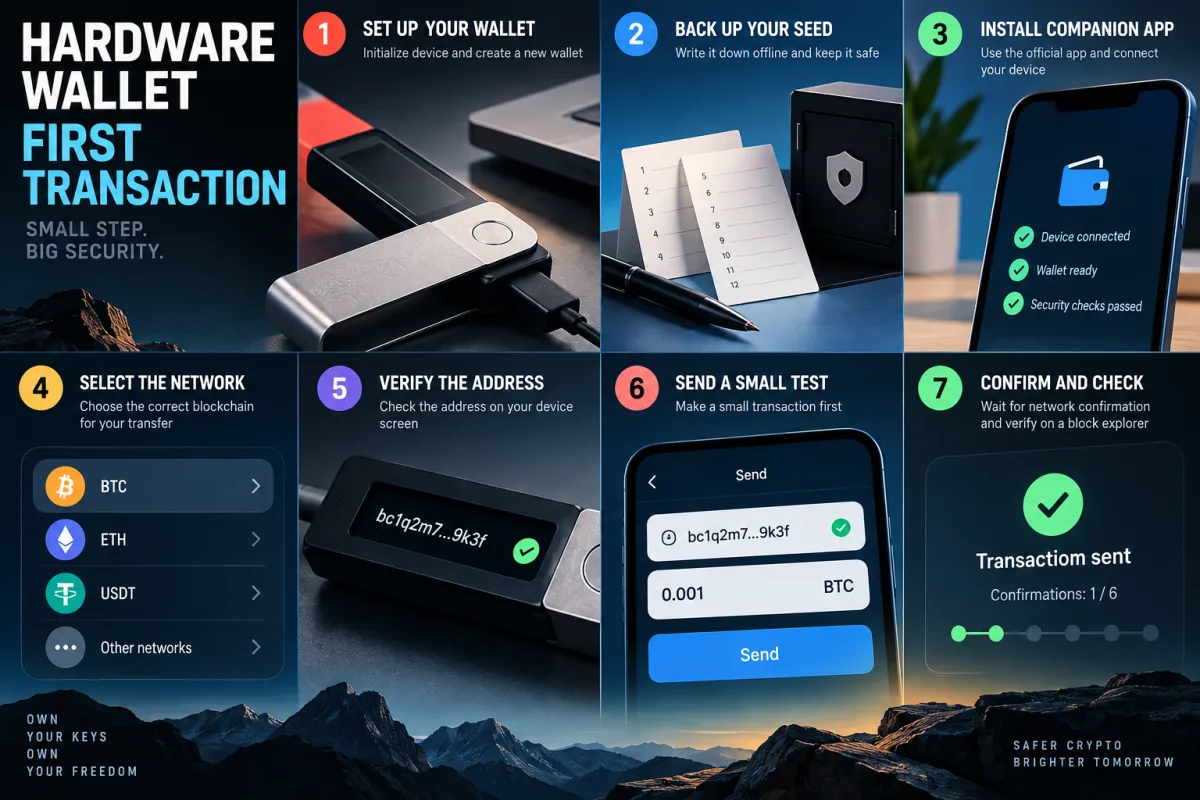
The device creates a new wallet. If the chosen model uses a seed phrase, it appears during setup, not in the box. You set the PIN. The app does not ask you to type the seed into a computer or browser. Brand support does not ask for the recovery phrase under any excuse.
Then do not transfer the whole balance immediately. Test it.
Create a receiving address and verify it in the way your wallet allows: on the device screen for Ledger, Trezor and SafePal, or through the official Tangem flow for the card. Send a small amount. Wait for confirmation. Then try sending a small part back. Only after that should you move the main amount.
For large balances, it can make sense to test recovery before the wallet becomes your only access to the funds. But the rule is strict: the seed is entered only into the hardware device during recovery, not into a website, not through a mobile keyboard and not into a cloud document. With Tangem, first complete the backup to additional cards and confirm that each card works.
How to choose by scenario
Long-term BTC holding
Focus on simplicity, backup and physical protection. Trezor Safe 3 or Safe 5, Ledger Nano S Plus or Nano Gen5, SafePal S1 and Tangem can all handle the job if you store backups with discipline. For peace of mind, the most expensive model matters less than separate seed or backup storage, a passphrase when appropriate and no DeFi connections on that wallet.
Many networks and active management
Ledger is convenient because of its ecosystem and broad asset support through Ledger Wallet and compatible third-party wallets. Trezor also covers many popular assets, but you need to check model and network support more carefully. Tangem is convenient for mobile portfolio management, especially if simple swaps and fast access matter. SafePal is interesting if you want QR signing and a separate device at a moderate price.
Stablecoins and exchange transfers
The main risk is not the wallet, but the network. Before withdrawing from an exchange, check that the withdrawal network matches the receiving network in the wallet. Do not send “USDT” as an abstract asset. Send USDT on Ethereum, USDT on Tron, USDT on Solana or another specific network only if your wallet and app support it.
DeFi, NFTs and smart contracts
For DeFi, a hardware wallet reduces key-theft risk, but it does not remove malicious-signature risk. It is better to separate roles: one wallet for cold storage, another for DeFi experiments with a limited amount. If an app asks for blind signing or an unreadable approval, that is not a formality. That is the moment where the user may personally grant permission to drain funds.
A beginner who does not want to deal with a seed phrase
Tangem may be the gentlest entry point because backup cards are easier to understand than a paper phrase. But simplicity does not remove responsibility: cards need to be stored separately, the phone must support NFC, and the app must be official. If you lose every backup device, “support” cannot restore access to a non-custodial wallet.
Common mistakes that cost more than the wallet
Buying from a random marketplace seller. Even if the price matches the official store, that is not a guarantee.
Installing the app from a QR code in the box. QR codes are convenient, but after the fake Ledger case they are a red flag unless you manually verify the domain.
Keeping the seed in photos, Telegram, Google Docs, iCloud Notes or a password manager without understanding the threat model. For a recovery phrase, a digital copy often turns a cold wallet into a hot wallet.
Using one wallet for everything. Long-term holding, DeFi, test airdrop sites and everyday transfers are better separated.
Ignoring memo/tag requirements. For XRP, XLM and deposits to exchanges, memo can be mandatory. Tangem version 5.37 added warnings for XRP and XLM, but relying only on app hints is not enough.
Sending the full amount in the first transaction. A test transaction costs a fee, but it is cheaper than a mistake.
Bottom line: a cold wallet comes with a procedure
If you need a universal wallet with a large ecosystem, look at Ledger, but be especially strict about the source of the app and the purchase channel.
If you value transparency, documentation and a classic hardware-wallet experience, Trezor is logical, especially Safe 3, Safe 5 and Safe 7. Older Model One and Model T devices do not need to be replaced in panic, but buying them as a new main wallet in 2026 only makes sense with a clear understanding of support and compromises.
If you want very simple mobile self-custody without cables, Tangem works well as a card or ring, especially for people who are afraid of seed phrases. But you need to accept the lack of a screen and the dependence on an NFC phone in advance.
If you want an affordable wallet with QR signing and a separate screen, SafePal looks practical, especially the S1. But it should be bought only through official channels, otherwise the discount becomes the main risk.
The right hardware wallet is not the one with the loudest marketing. It is the one whose failure scenario you understand before the first large transaction.